Iterating on an AI-made game: follow-up prompts that work
- TtsetNov 4, 2026, 3:38 PM
The first prompt gets you a game. The follow-up prompts make it your game. After watching a lot of AI-assisted jam entries, the same pattern keeps winning: small loops, one change at a time.
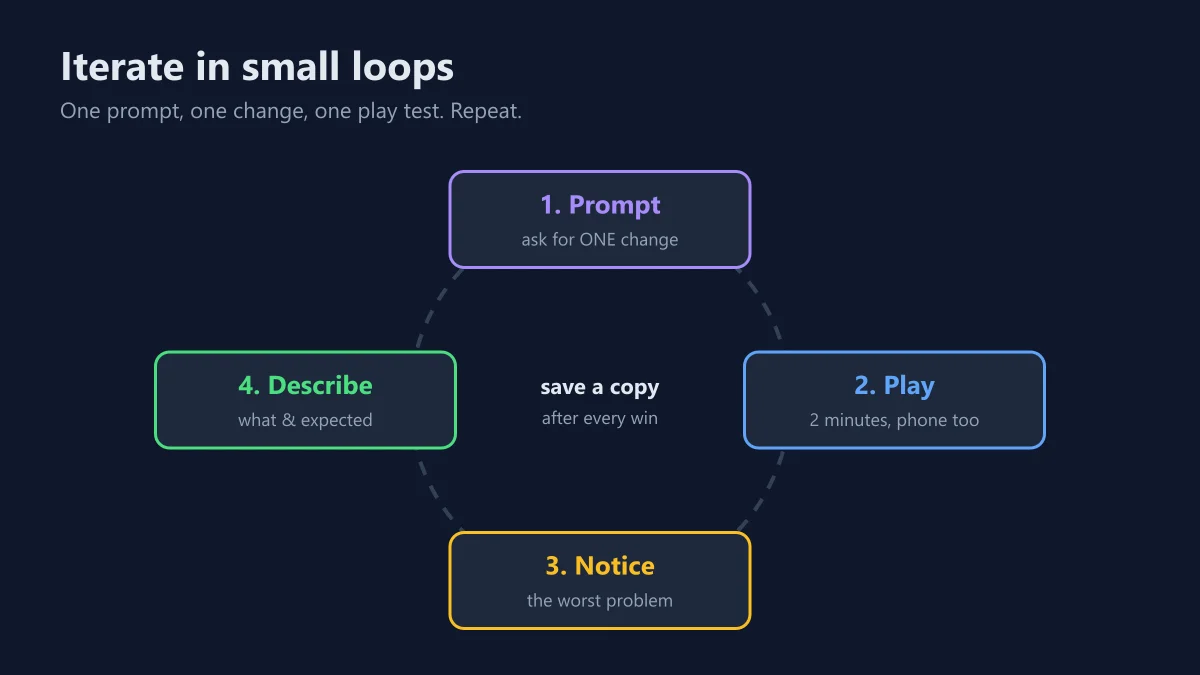
Rules of thumb
- One change per prompt. "Add a boss, fix the jump and make it purple" gets you three half-done changes and a new bug.
- Save a working copy after every improvement (or commit it to git). When an edit breaks things, go back instead of arguing with the AI.
- Describe what you saw, not what the code should be. You're the playtester; let the AI be the programmer.
- Paste the exact error from the browser console (F12) when something crashes.
Copy-paste follow-ups
The jump feels floaty. Increase gravity while falling (about 1.6x the rising gravity), add 100 ms of coyote time and 100 ms of jump buffering. Only change the jump; keep everything else the same.Bug: when <what I did>, <what happened>. I expected <what should happen>. First explain what causes it, then fix only that, and show me just the changed functions.The first 30 seconds are too hard for new players. Make difficulty start lower and ramp up over the first 2 minutes. Put the difficulty curve in one function at the top so I can tune it.It stutters on my phone. Find what allocates memory or does extra work every frame and fix it. Keep the 60 Hz fixed timestep.Add juice without changing the gameplay: hit-stop of 60 ms on big hits, a short screen shake, particles on deaths, and easing on all UI animations. Add a "reduce motion" toggle that turns off the shake and flashes.When the game is done
Open the creator guide: it has a packaging prompt that adds the cover, screenshots, description and
game.jsonfor your game page, and zips everything for upload. And please fill in the AI disclosure honestly. Using AI is fine here, and players appreciate knowing how a game was made.